
Seekee – Ai Search & Assistant
Screenshots
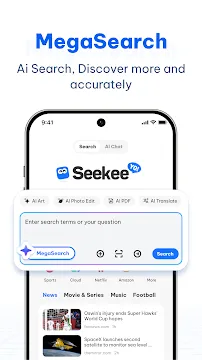

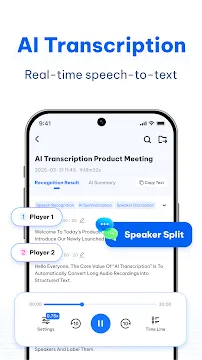
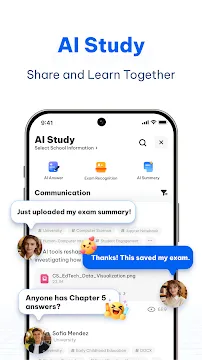
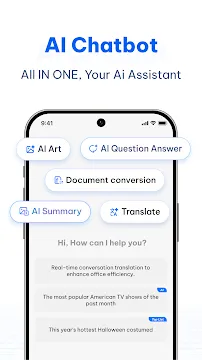
Seekee – Ai Search & Assistant is an all-in-one smart application designed to consolidate your daily internet browsing, content creation, and data organization. It combines a conversational search engine with a deep suite of productivity utilities to eliminate constant app switching. Instead of navigating through pages of chaotic web listings or ad-heavy articles, you type queries into a unified interface to receive clear, direct summaries. The software coordinates multiple artificial intelligence models simultaneously to solve problems, translate documents, and edit graphics. It adapts dynamically to your workflows, whether you operate as a student sorting through complex research papers or a business professional draft-ing corporate emails. By replacing standard keyword browsers with a highly responsive virtual agent, the application streamlines your digital workflow and maximizes your time efficiency.
Experience Smarter Browsing with Seekee – Ai Search & Assistant
The foundational feature of Seekee – Ai Search & Assistant centers on its innovative approach to processing online inquiries. Traditional web searching requires you to click multiple links, filter out spam, and read through long articles to find a single piece of data. This software bypasses that frustrating routine through a dedicated multi-agent system.
When you enter a prompt, the application scans the active web, extracts the most reputable details, and synthesizes a structured answer immediately. You can treat the interface like an interactive chat session, asking follow-up questions to drill down into specific details seamlessly. This conversational logic ensures you grasp core concepts within seconds rather than spending minutes scrolling through text heavy web pages.
Unleashing Creative Potential via Seekee – Ai Search & Assistant
Beyond basic text research, Seekee – Ai Search & Assistant includes built-in generative engines that accelerate your content creation tasks. The system helps you craft written material and digital artwork from raw textual ideas. This integrated setup allows you to move from your initial research phase directly into production without leaving the platform.
- Drafting Professional Copy: Instantly generate high-quality emails, structured work reports, and engaging social media headlines.
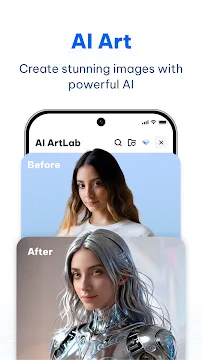
- Prompt-Based Design: Type descriptive text to synthesize unique images, digital posters, and creative templates from scratch.
- Contextual Editing: Instruct the application to expand, summarize, or alter the tone of your pre-existing documents with one tap.
- Idea Generation: Brainstorm visual layouts and content outlines using open-ended creative chat prompts.
This immediate accessibility to design and writing models turns an ordinary mobile browser into a highly functional workspace.
Supercharging Study Sessions with the AI Learning Assistant
Students can leverage specialized academic features designed to simplify homework preparation and complex problem-solving. The application includes a “Snap & Solve” camera tool that handles math, science, and history questions instantly. You simply take a photo of a difficult question, and the software provides a comprehensive, step-by-step breakdown of the solution.
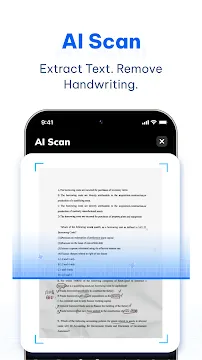
Additionally, the software features a unique handwriting eraser tool that cleans up physical worksheets. This option lets you wipe out ink marks from a photo, giving you a clean template to practice on repeatedly. Combined with deep document analysis, the application converts lengthy chapters into concise mind maps and summaries, reducing study fatigue significantly.
Mastering Multimedia Processing and Image Restoration
The tool repository goes far beyond standard search engine capabilities by incorporating professional-grade photo and video tools. Seekee – Ai Search & Assistant allows users to execute complex media modifications using single-tap commands. You do not need to understand intricate lighting or layering tools to fix your camera files.
The advanced image workspace includes intelligent cutout tools that remove or replace backgrounds in seconds. You can upscale low-resolution photos to restore clarity or scrub away distracting watermarks cleanly. For business travelers or remote employees, the system can instantly format standard selfies into compliant, professional ID photos, saving a trip to a physical printing shop.
Enhancing Workspace Management with Smart PDF Tools
Handling business files on a mobile device frequently presents layout and compatibility problems. This application addresses that issue by packing an entire document management system inside its browser frame. It processes large PDF files quickly, allowing you to annotate text and sign contracts on the move.
You can convert files between multiple formats, such as changing raw text documents into presentation slides or turning images into editable spreadsheets. The integrated optical character recognition (OCR) tool extracts text from physical documents via a quick camera scan. It even provides real-time bilingual translation for webpages and text blocks, helping you read international research material without losing formatting.
Optimizing Storage and Syncing Across Platforms
The application structures its file management around user convenience, offering free cloud storage allocation upon account creation. You can save your research text, generated artwork, and converted PDF documents directly to your secure cloud backup space. This eliminates the worry of filling your local mobile storage with heavy files over time.
The system synchronizes your bookmarks, active chat history, and personal assets across your hardware devices dynamically. If you begin researching a topic on your smartphone during a commute, you can pull up your exact chat history on a computer later to continue your task. This cross-device tracking keeps your data accessible, structured, and ready for deployment at any moment.
Conclusion
Seekee – Ai Search & Assistant provides a highly effective, unified solution for users who want to maximize their digital productivity. By combining natural language search with generative media editing, academic study tools, and robust document conversion, it successfully declutters your mobile workspace. The intuitive chat setup and step-by-step problem solver make it equally useful for casual queries and intensive research projects. Utilizing the cross-device sync and cloud storage keeps your important assets safe and easy to retrieve. The platform delivers all the flexibility necessary to change how you discover information, interact with files, and express your visual creativity every day.